How to Display Files from All Subfolders in the Root Folder
By default, CatFolders Document Gallery only shows the files that live directly inside a folder while subfolder files stay nested.
If you want the root folder to show every file from every subfolder in one flat view, you can enable this with a single snippet using WPCode (or any code snippets plugin).
Step 1: Open WPCode
Go to Code Snippets → Add New in your WordPress dashboard.
Step 2: Add the snippet
Paste the following code:
PHP
<?php
add_filter( 'catf_get_files_of_children', '__return_true' );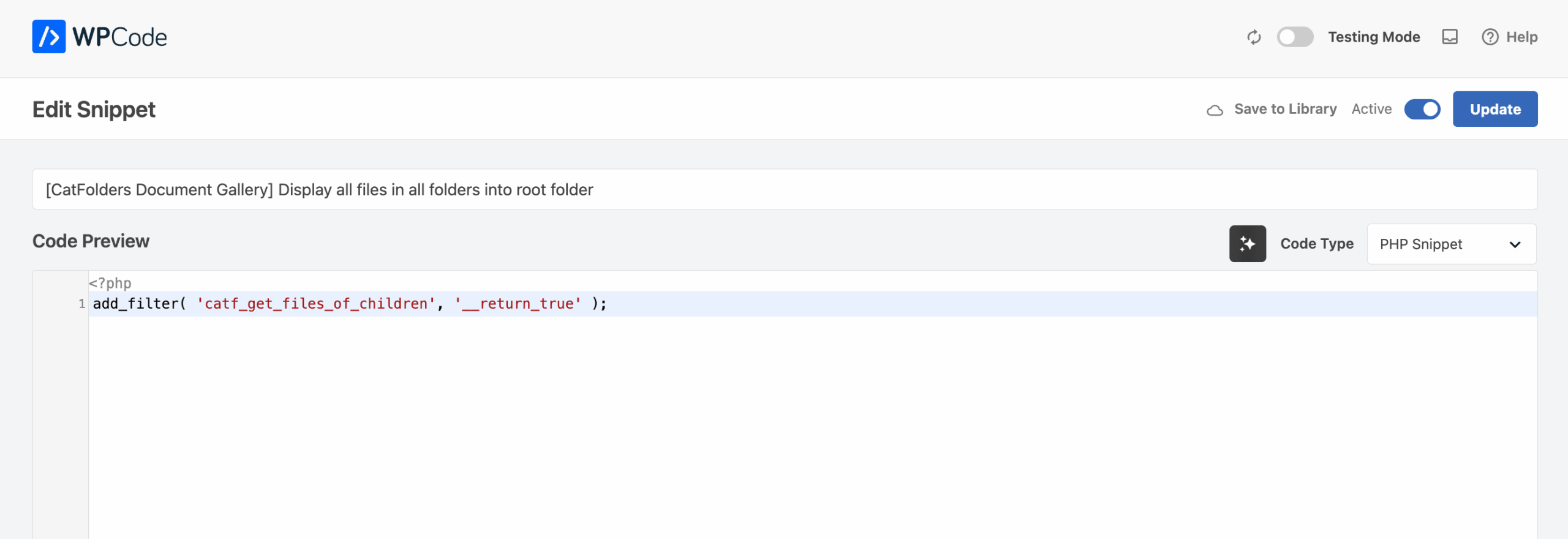
Step 3: Configure the snippet settings
- Code Type: PHP Snippet
- Insertion: Auto Insert
- Location: Run Everywhere
- Priority: Leave as default (or set to
10)
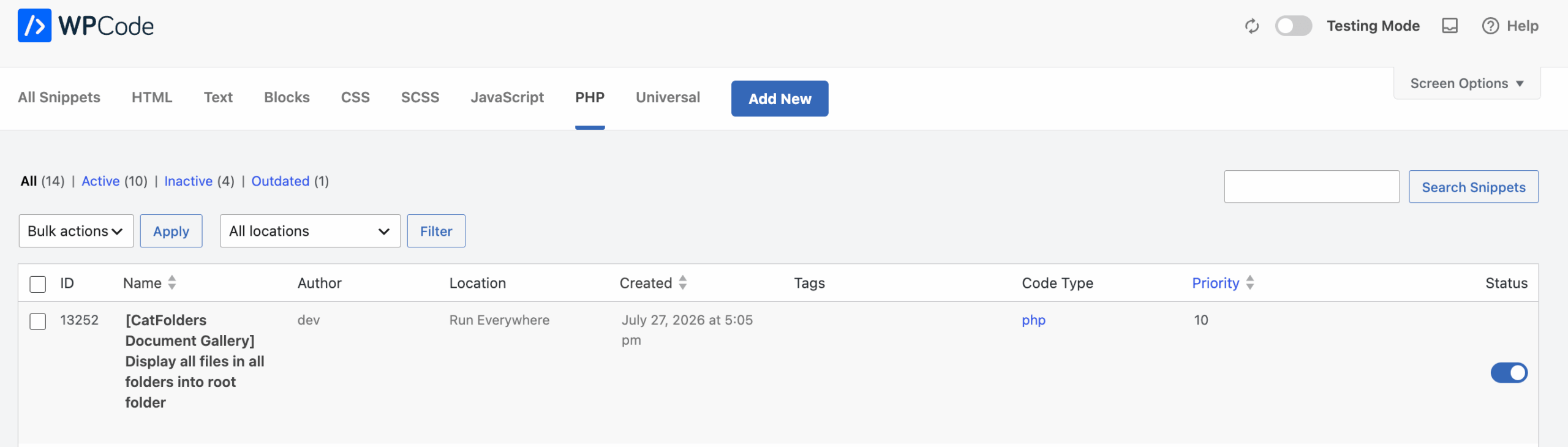
Recommended: Give it a clear name. Something descriptive helps you find it later, e.g. “[CatFolders Document Gallery] Display all files in all folders into root folder”.
Step 4: Activate
Toggle the snippet Active, then save. Now your files in all nested folders will be displayed in the root folder.
What this does
The catf_get_files_of_children filter controls whether a folder’s file query includes files from its child folders. Setting it to __return_true tells the plugin to recursively pull in every descendant folder’s files whenever the root folder is displayed. So instead of seeing an empty (or sparse) root, visitors see the full combined file list.