Customize the appearance of your CatFolders Document Library with ease by adding PHP snippets.
Add a new User name column to the Display Fields option.
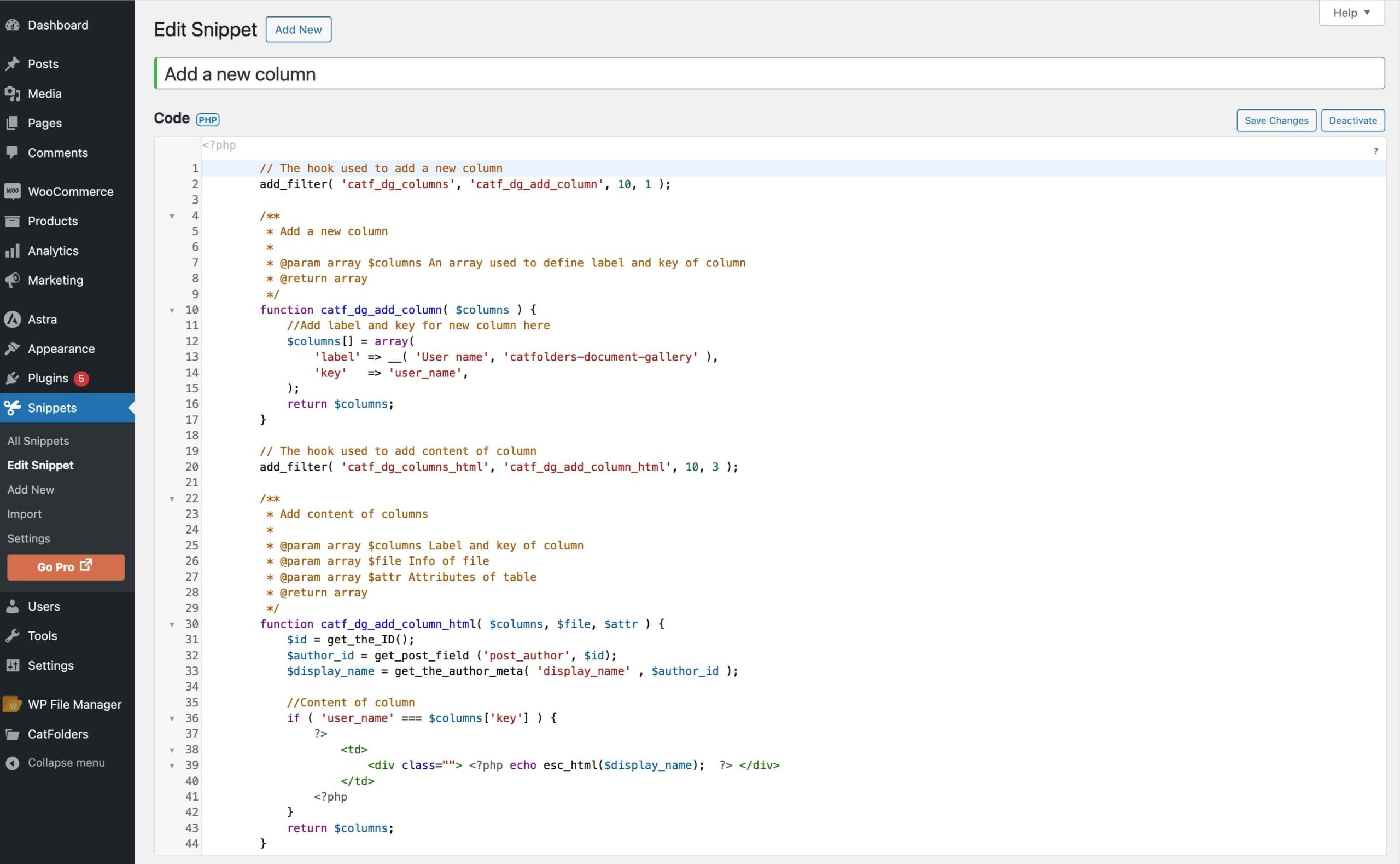
1. Create a custom code and paste it into a Code Snippets plugin.
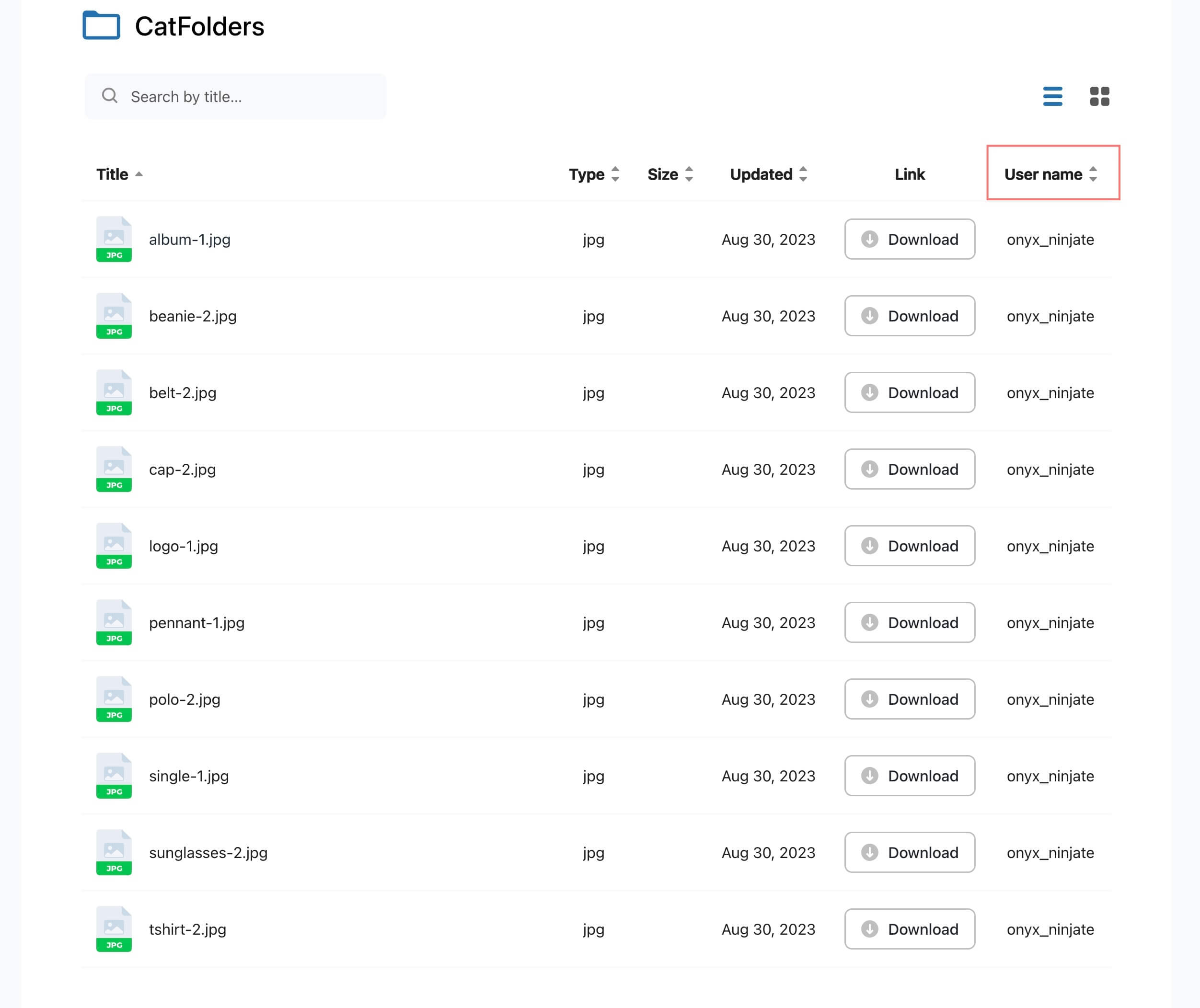
2. Here is the result, the “User name” column has been added successfully.
Following this process can lead you to your personalized job.
Get this snippet here:
// The hook used to add a new column
add_filter( 'catf_dg_columns', 'catf_dg_add_column', 10, 1 );

/**
 * Add a new column
 *
 * @param array $columns An array used to define label and key of column
 * @return array
 */
function catf_dg_add_column( $columns ) {
    // Add label and key for new column here
    $columns[] = array(
        'label' => __( 'User name', 'catfolders-document-gallery' ),
        'key'   => 'user_name',
    );
    return $columns;
}

// The hook used to add content of column
add_filter( 'catf_dg_columns_html', 'catf_dg_add_column_html', 10, 3 );

/**
 * Add content of columns
 *
 * @param array $columns Label and key of column
 * @param array $file Info of file
 * @param array $attr Attributes of table
 * @return array
 */
function catf_dg_add_column_html( $columns, $file, $attr ) {
    $id = get_the_ID();
    $author_id = get_post_field( 'post_author', $id );
    $display_name = get_the_author_meta( 'display_name', $author_id );

    // Content of column
    if ( 'user_name' === $columns['key'] ) {
        ?>
        <td>
            <div class=""><?php echo esc_html( $display_name ); ?></div>
        </td>
        <?php
    }

    return $columns;
}
Add a new file description column to the Display Fields option
- Get this snippet and paste it into Code Snippets plugin to show the file description column for your document gallery
// The hook used to add a new column
add_filter( 'catf_dg_columns', 'catf_dg_add_column', 10, 1 );

/**
 * Add a new column
 *
 * @param array $columns An array used to define label and key of column
 * @return array
 */
function catf_dg_add_column( $columns ) {
    // Add label and key for new column here
    $columns[] = array(
        'label' => __( 'Description', 'catfolders-document-gallery' ),
        'key'   => 'description',
    );
    return $columns;
}

// The hook used to add content of column
add_filter( 'catf_dg_columns_html', 'catf_dg_add_column_html', 10, 3 );

/**
 * Add content of columns
 *
 * @param array $column Label and key of column
 * @param array $file Info of file
 * @param array $attr Attributes of table
 * @return array
 */
function catf_dg_add_column_html( $column, $file, $attr ) {
	$document_id = isset($file['document_id']) ? $file['document_id'] : "";

	if (empty($document_id)){
		return;
	}

    // Content of column
    if ( 'description' === $column['key'] ) {
        ?>
        <td>
            <div class=""><?php echo esc_html( get_post_field( 'post_content', $document_id ) ); ?></div>
        </td>
        <?php
    }

    return $column;
}
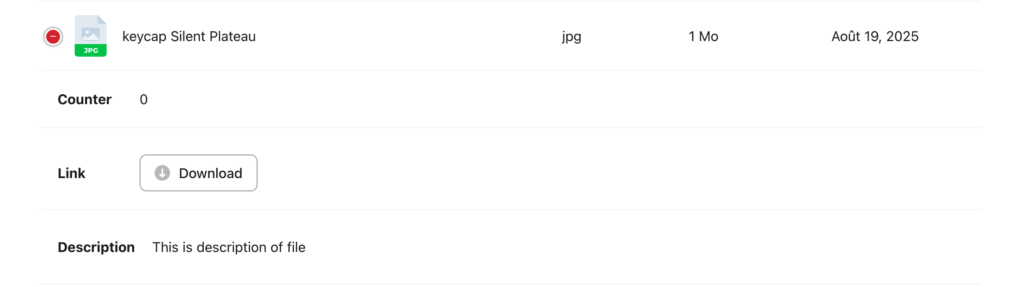
2. Once done, check your document gallery; you can see a new column has been added successfully.
Limit the number of documents displayed on a WordPress page/post
Get the following snippet and paste it into Code Snippets plugin to limit the number of documents displayed on a page/ post.
add_filter( 'catf_dg_posts_per_page', function( $limit ) {
    return 10;
} );
Add an “Uploaded At” column before the “Updated” column (Free version)
Use 'catf_dg_table_columns' to register the column definition and 'catf_dg_render_custom_column' to render its content.
- Create a custom code and paste it into a Code Snippets plugin.
add_filter( 'catf_dg_table_columns', function( $columns, $attributes ) {
    $columns   = array_values( $columns );
    $insert_at = array_search( 'updated', array_column( $columns, 'key' ) );

    $new_column = array(
        'label' => __( 'Uploaded At', 'catfolders-document-gallery' ),
        'key'   => 'uploaded_at',
        'type'  => 'date-sort',
    );

    if ( $insert_at !== false ) {
        array_splice( $columns, $insert_at, 0, array( $new_column ) );
    } else {
        $columns[] = $new_column;
    }

    return $columns;
}, 10, 2 );

add_filter( 'catf_dg_render_custom_column', function( $html, $column, $file, $attributes ) {
    if ( $column['key'] !== 'uploaded_at' ) {
        return $html;
    }

    $post        = get_post( $file['document_id'] );
    $uploaded_at = $post ? wp_date( 'M d, Y H:i', strtotime( $post->post_date ) ) : '';

    return '<div class="cf-column-uploaded-at">' . esc_html( $uploaded_at ) . '</div>';
}, 10, 4 );
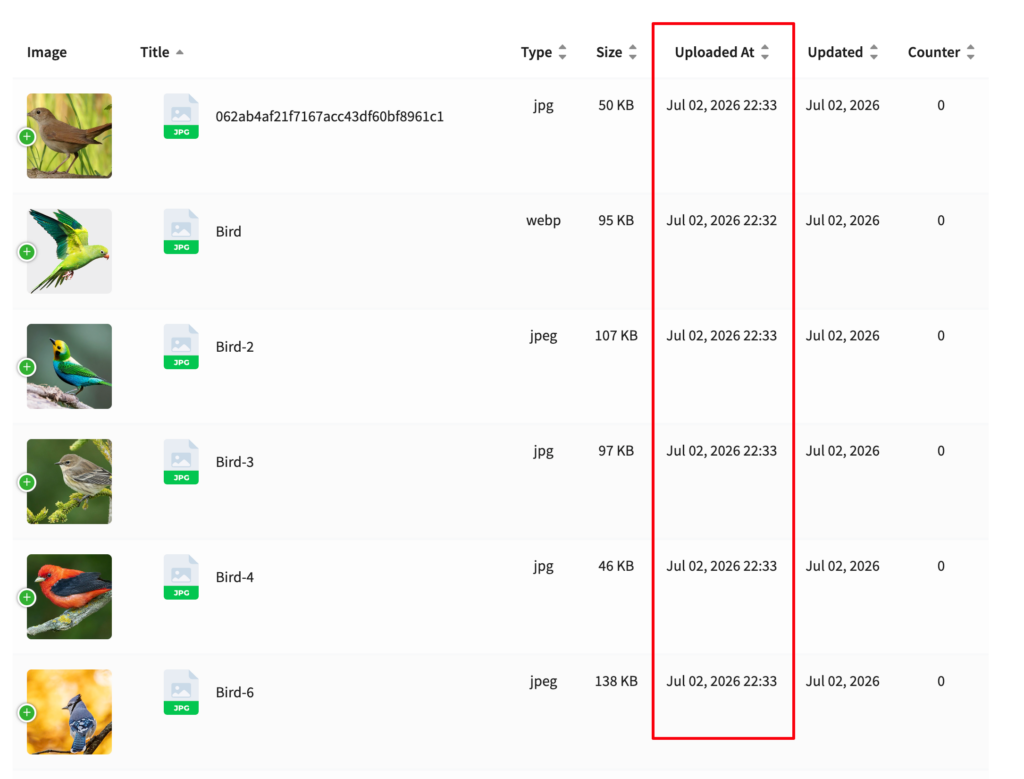
2. Here is the result, the “Uploaded At” column has been added successfully.