
Are you looking for the best WordPress media library plugin? In this post, we are going to show you 7 of the best media library plugins to make organization easier.
The native WordPress media library still sorts every media file by upload date. On a growing WordPress site, it becomes a long grid rather than a folder system.
This guide covers the 7 best WordPress media library plugins for 2026 so you can organize media with drag-and-drop folders instead of scrolling. These WordPress plugins add media folders inside the dashboard. Some stay free.
Others pair a free version with advanced features. WP Media Folder (CatFolders), FileBird, and Real Media Library sit alongside newer folder plugins that help WordPress users move files, maintain virtual folders, and choose the right WordPress media library plugin for large libraries.
First, we will see why you need a WordPress media library plugin.
Table of Contents
Why You Need a WordPress Media Library Plugin
The default WordPress media library is a date-sorted list. That works for a new WordPress website. It does not work once media library items pile up across posts, products, and landing pages.
You open the media screen, scroll the grid, and still miss the file you uploaded last month. A media library plugin adds folders in the WordPress dashboard so you can organize files the way you work.
You create folders in the media library, drag and drop media files into the right group, and pick images from that folder in the media modal. Virtual folders preserve media file URLs, which matters on a large WordPress site.
Folder plugins also sit next to tools people already use. Media Library Assistant helps with bulk work. Enable Media Replace, and a media file renamer handles replacement and naming.
The Enhanced Media Library and Media Library Organizer add another layer of organization to media. FileBird is a popular starting point. WP Media Folder, FileBird, and other media folder plugins offer free and paid feature sets, page builder support, unused media cleanup, and WordPress Multisite support.
What to Look for In WordPress Media Library Plugins
The right WordPress media library plugin should help you organize your media library without turning the WordPress admin into extra work. Use this checklist when you compare folder plugins, free and premium versions, and plugins in 2026 that claim to organize media at scale.
- Virtual folders: Pick a media folder plugin that uses virtual media so WordPress media files stay in place. Folders in the media library should organize files without breaking URLs on a live WordPress site.
- Drag-and-drop folder workflow: Create a media library folder, then drag a media file from the grid into it. FileBird and Folders-style plugins win here when the folder tree feels like a desktop media manager.
- Free option you can test: A free WordPress media library plugin that lets you try media organization before you pay. The best free pick is the one that already works in the media modal.
- Page builder support: The folder plugin has to work in Gutenberg and your WordPress page builder. Inserting from a folder is the daily test, not only the Media screen.
- Room to grow: Large libraries need more than two folder plugins stacked together. Look at WP Media Folder, Real Media Library, Media Library Organizer, and similar tools for extensive library management, unused files, and extra media management.
- Clean add-ons, not clutter: Enable Media Replace, a media file renamer, and Media Library Assistant can sit beside the best WordPress media library plugin. They help replace media. They should not replace a clear folder system in the WordPress database.
7 Best WordPress Media Library Plugins
| Plugin | Best for | Free version | Starting price | Folder type | Standout extra |
|---|---|---|---|---|---|
| CatFolders | Fast media folders plus easy imports | Yes | $79 / year | Virtual | Imports FileBird and other folder plugins |
| FileBird | Most-used dedicated folder workflow | Yes | $39 / year | Virtual | Unlimited folders in free, Gutenberg folder galleries |
| Real Media Library | Folders plus collections and galleries | Yes (Lite) | €39 | Virtual | Collections and gallery tools in Pro |
| Media Library Organizer | Category-style media sorting | Yes | $49 / year | Categories/folders | Pairs well with other media tools |
| Media Library Folders | File-manager style browsing | Yes | $49 / year | Folder view | Works with MaxGalleria |
| Folders by Premio | Media, posts, and pages in one plugin | Yes | $69 / year | Virtual | Folders beyond the media library |
| HappyFiles | Lifetime license and a clean UI | No | $59 one-time | Virtual | One-time pricing for agencies |
1. WPMediaFolders (CatFolders)
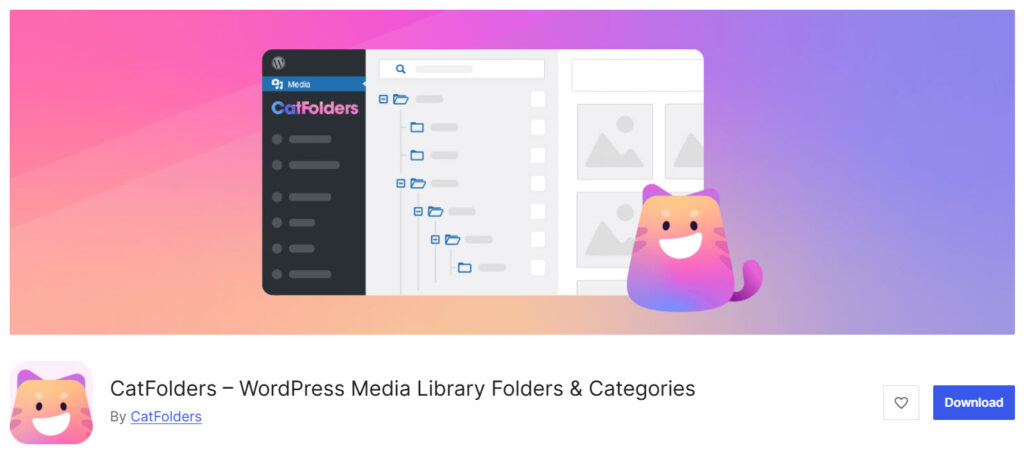
CatFolders is a WordPress media library plugin for sites that need folders rather than a date-sorted grid. It adds a folder tree in the WP admin so you can organize media by client, product, or page.
You drag and drop a media file into a media library folder, then pick it from that folder in the media modal. Folders are virtual, so media files are not broken when URLs change. This is a strong pick among media library plugins to organize a growing WordPress site.
The free version includes unlimited top-level folders. Pro adds subfolders, sorting, and folder tools for posts and pages. If you already use FileBird and Folders-style plugins, CatFolders can import that structure and keep media organization within a single plugin.
Features
- Unlimited main folders
- Drag-and-drop files and folders
- Import from FileBird and other media folder plugins
- Gutenberg and page builder media modal support
- SVG upload with sanitization
- Folder search
- Pro subfolders, file counters, and folder permissions
- Pro folders for posts, pages, and custom post types
Pros and Cons
| Pros | Cons |
|---|---|
| Fast WordPress media folders inside the dashboard | Subfolders are a Pro feature |
| Virtual folder workflow keeps existing links intact | Team folder permissions need Pro |
| Imports other folder plugin structures |
Pricing
CatFolders is freemium. The free version can be downloaded from the WordPress plugin repository, and the premium version starts at $79 a year.
2. FileBird

FileBird is a popular WordPress media library plugin that lets you add folders to the default library. It gives you a sidebar folder tree, drag-and-drop, and a context menu that feels close to a desktop media manager.
The free version includes unlimited folders, so you can organize media without paying first. This is one of the most used media library folder plugins on WordPress.org. You create folders in the media library, move files into them, and insert from that folder in Gutenberg or a page builder.
FileBird can also import folders from other folder plugins, which helps if you are switching tools. Pro adds extra media management such as document galleries and tighter control for larger WordPress sites.
Features
- Unlimited folders and subfolders in the free version
- Drag-and-drop file and folder moves
- Right-click context menu for cut, paste, and rename
- Import from Enhanced Media Library, Real Media Library, HappyFiles, and similar tools
- Folder-based Gutenberg gallery
- Smart folders and sorting options
- Works in the WordPress media modal
Pros and Cons
| Pros | Cons |
|---|---|
| Strong free media library folder workflow | Some extra gallery and cloud tools sit in Pro |
| Easy drag-and-drop for daily media management | Folder data lives in custom tables |
| Broad import support from other folder plugins |
Pricing
FileBird is freemium. The free version can be downloaded from the WordPress plugin repository, and the premium version starts at $39 a year.
3. Real Media Library
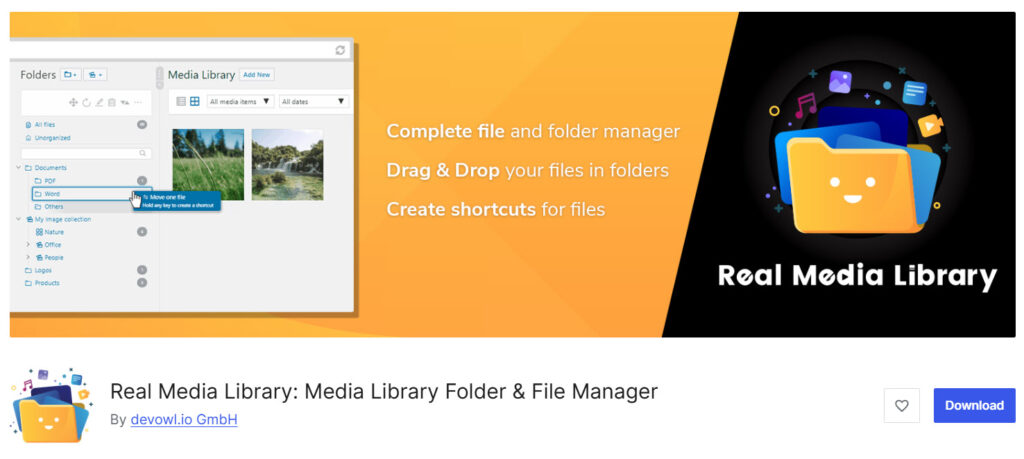
Real Media Library is a WordPress media library plugin for sites that want more than a basic folder tree. The Lite version adds folders in the media screen. Pro adds collections, galleries, and tighter control over a large library.
You drag files into folders, build groups for reuse, and keep virtual folders, so URLs stay intact. This plugin is a common pick when FileBird-style folders are not enough. It works as a media manager inside the WordPress admin, with a folder sidebar and tools for organizing images and WordPress video files.
If you need galleries plus folders, Real Media Library covers that feature set better than a simple media library folder plugin.
Features
- Folder tree in the WordPress media library
- Drag-and-drop organization
- Collections and galleries in Pro
- Virtual folders that do not change file paths
- Quick folder navigation in the media modal
- Works with common page builders
- Lite version available to test the folder workflow
Pros and Cons
| Pros | Cons |
|---|---|
| Folders plus collections for a larger media library | Gallery and collection tools need Pro |
| Solid option if you install Real Media Library for heavy media work | Interface can feel heavier than a simple folder plugin |
| Virtual folder structure keeps links stable |
Pricing
Real Media Library is freemium. The free version can be downloaded from the WordPress plugin repository, and the premium version starts at €39 a year.
4. Media Library Organizer
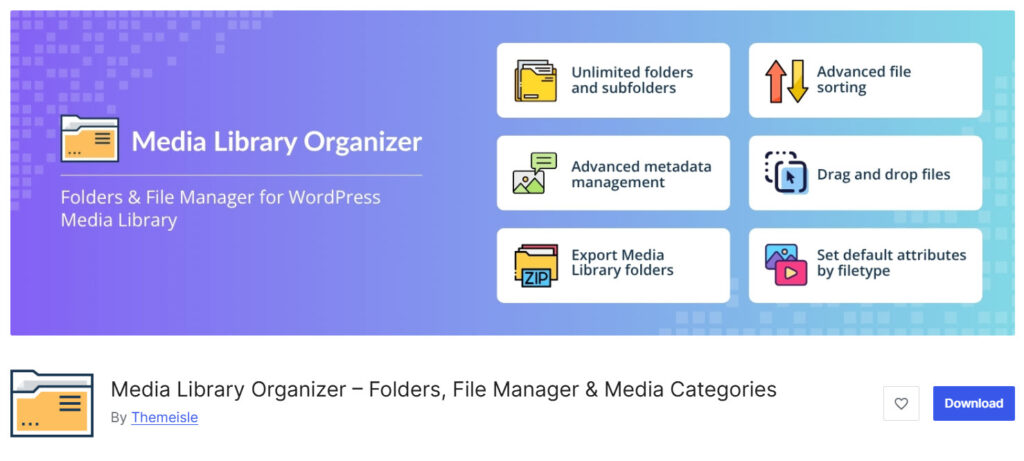
Media Library Organizer is a WordPress plugin that adds categories to the media library so you can organize files without living in the date grid. It is closer to a taxonomy system than to a deep file manager tree, which some WordPress users prefer for simple media management.
You assign media library items to a category, then filter the library by that group. This is a practical media library plugin if you want a free option to start with. The free version covers basic media organization.
Pro adds nested folders, extra sorting, and more control for a larger WordPress site. It can sit next to tools like Media Library Assistant, Enable Media Replace, or a media file renamer when you also need media replacement.
Features
- Media categories in the WordPress dashboard
- Filter the library by category
- Bulk assign files to a group
- Works with the default media screen
- Nested folders and extra sorting
- Helpful on sites that already use category-style organization
Pros and Cons
| Pros | Cons |
|---|---|
| Easy free path to organize media | Less of a classic drag-and-drop folder tree |
| Good fit with other media management plugins | Nested folders sit in Pro |
| Light way to sort an extensive library |
Pricing
Media Library Organizer is freemium. The free version can be downloaded from the WordPress plugin repository, and the premium version starts at $49 a year.
5. Media Library Folders

Media Library Folders is a WordPress media library plugin by Max Foundry for people who want folders that feel more like a file manager. It lets you create folders, move files, and browse the library by folder instead of by upload date.
That helps when the default WordPress media library is too flat for daily work. This plugin is often used on sites that also need galleries through MaxGalleria. The free version covers core folder work in the Media Library screen.
Pro unlocks more gallery and media tools. Use it when you want a media library folder plugin with a file-explorer layout, then test how it handles moves on a staging site before you reorganize a live library.
Features
- Folder view inside the WordPress media library
- Create folders and move media files
- File-manager style browsing
- Works with the default media screen
- Pairs with MaxGalleria for galleries
- Free version for basic folder organization
Pros and Cons
| Pros | Cons |
|---|---|
| File-manager layout is easy to understand | Gallery extras live in the Pro bundle |
| Useful for organizing an extensive library | Moving files needs care on a live WordPress site |
| Free version is enough to test the folder workflow |
Pricing
Media Library Folders is freemium. The free version can be downloaded from the WordPress plugin repository, and the premium version starts at $49 a year.
6. Folders

Folders by Premio is a WordPress plugin that adds folders for media, posts, and pages in one tool. That is the main difference from a media-only folder plugin. You can organize files in the media library and keep the same folder habit for content in the WordPress admin.
The free version is enough to test the idea. Pro raises folder limits and adds extras such as folder colors and more control for teams. This is a solid pick if you want one plugin to organize your files across the dashboard, not only WordPress media folders.
For a media-first workflow, compare it with FileBird and CatFolders before you decide.
Features
- Folders for media, posts, and pages
- Drag-and-drop organization
- Folder tree in the WordPress dashboard
- Free version to try the workflow
- Unlimited folders and extra organization tools
- Useful on sites that want one system for files and content
Pros and Cons
| Pros | Cons |
|---|---|
| One folder plugin for media and content | Free folder limits are tighter than some media-only tools |
| Simple drag-and-drop in WP admin | Media-only sites may not need post and page folders |
| Clear upgrade path in Pro |
Pricing
Folders is freemium. The free version can be downloaded from the WordPress plugin repository, and the premium version starts at $69 a year.
7. HappyFiles
HappyFiles is a premium WordPress media library plugin with a clean folder interface. There is no free version on WordPress.org. You pay once, then use folders to organize media inside the dashboard.
The layout is light, which helps if you want a media manager that does not feel crowded. This plugin is a common pick for freelancers and agencies that want a lifetime license instead of another yearly folder plugin.
You create folders, drag files into them, and insert media from those folders into the editor. HappyFiles also supports organizing more than media on some plans, so it can cover a broader WordPress admin workflow than a basic media library folder tool.
Features
- Clean folder sidebar in the media library
- Drag-and-drop file organization
- Virtual folders that keep URLs intact
- Lifetime license starting point
- Works with Gutenberg and popular page builders
- Extra organization for other content types on higher plans
Pros and Cons
| Pros | Cons |
|---|---|
| Simple lifetime pricing | No free version to test on WordPress.org |
| Clean UI for daily media management | Less of a default pick than FileBird for first-time users |
| Good fit for multi-site work |
Pricing
HappyFiles is premium. There is no free version, and the premium version starts at a $59 one-time fee.
Frequently Asked Questions
Now, let’s take a look at some frequently asked questions and answers on this topic.
What is the best WordPress media library plugin for most sites?
CatFolders and FileBird are the two best starting points. Both add media folders inside the WordPress dashboard, use a virtual folder model, and work in the media modal. CatFolders is the better first pick if you want a fast folder tree and an easy import from another folder plugin. FileBird is the better first pick if you want the most-used dedicated media folder plugin with a strong free version.
Do I need a folder plugin if I already use Media Library Assistant?
Yes, if you still hunt through a date-sorted grid. Media Library Assistant is strong for bulk edits, filters, and shortcodes. A media folder plugin solves a different job: grouping files into WordPress media folders you can open while you work. Many sites use both. Keep one folder plugin only.
Can a WP media folder tool replace Enable Media Replace?
No. Enable Media Replace updates an existing media file. A folder plugin organizes files. Use Enable Media Replace or a media file renamer when the file itself needs to change. Use CatFolders or FileBird when you need folders to find that file later.
Is a virtual folder safer than moving files on the server?
For most WordPress sites, yes. A virtual folder keeps the file path the same, so posts, products, and galleries do not break. That is why CatFolders and FileBird use virtual folders. If a plugin offers real server folders, test moves on staging first.
What is the best free WordPress plugin in this category?
FileBird and CatFolders both have a usable free version. FileBird’s free version includes unlimited folders and subfolders. CatFolders’ free version includes unlimited main folders. Install one, create a few folders, and see if the folder tree fits your WordPress site before you pay.
Will these WordPress plugins work in a page builder?
The main folder plugins work in Gutenberg and the media modal used by a WordPress page builder. You should still test Elementor, Divi, or Bricks on a copy of the site. The real check is simple: open the media modal, switch to a folder, and insert a media file from there.
How is Enhanced Media Library different from a modern media folder plugin?
Enhanced Media Library is closer to categories and extra media fields. Newer media library folder plugins focus on a folder tree and drag-and-drop. If you already have Enhanced Media Library folders, CatFolders and FileBird can often import that structure so you are not starting over.
Which 2026 plugins are best for a very large library?
CatFolders is the better fit when you need folders, collections, and galleries. CatFolders and FileBird still work well if you only need a clean folder tree. Avoid stacking two folder plugins on one WordPress site. Pick one media folder plugin and stay with it.
Can I organize media and still keep unused files under control?
Yes, but that is two jobs. Folders help you organize media you still use. Unused media cleanup is a separate task. Do not delete files just because they sit outside a folder. Check where the media file is used, then move it or remove it with care.
How do I pick the right WordPress media library plugin?
Match the plugin to the job. Choose CatFolders or FileBird for daily WordPress media folders. Choose Real Media Library for galleries and collections. Choose Folders by Premio if you also want folders for posts and pages. Choose HappyFiles for a lifetime license. Start with the free version when one exists, then upgrade only if you need subfolders, permissions, or extra media tools.
Conclusion
A WordPress media library plugin is worth it once the default file grid slows you down. Start with CatFolders if you want a fast folder tree, virtual folders, and an easy import from another media folder plugin.
FileBird is the other strong first install: the free version already covers unlimited folders, drag-and-drop, and daily work in the media modal. Pick Real Media Library when you need collections and galleries on top of folders.
Media Library Organizer fits category-style sorting. Media Library Folders is the file-manager option. Folders by Premio is the better match if you also want folders for posts and pages. HappyFiles makes sense when you want a clean UI and a one-time license.
Try the free versions first, keep one folder plugin active, and build a folder structure you will actually use.

