
Do you want to set up a private B2B store with B2BKing? In this post, we are going to show you a step-by-step tutorial for setting up B2BKing properly so you can have a private store.
Setting up a private B2B store on WooCommerce can be challenging for beginners. You need to hide products from regular visitors, display special pricing for businesses, manage customer approvals, and deliver a professional experience for B2B buyers.
B2BKing is one of the most powerful plugins built specifically to solve these problems. It transforms your standard WooCommerce store into a fully functional private B2B platform. In this beginner-friendly guide, we will show you the complete step-by-step process of setting up a private B2B store using B2BKing.
First, we will see why you need a private B2B store.
Table of Contents
Why You Need a Private B2B Store
Running a single public WooCommerce store for both retail and wholesale customers often creates problems. A dedicated private B2B store solves these challenges and delivers clear business advantages.
Here are the main reasons why you should set up a private B2B store:
- Full Control Over Pricing: You can show special wholesale prices only to approved business customers and prevent regular visitors from seeing your discounted rates.
- Professional Shopping Experience: Business buyers expect a clean and professional interface. A private B2B portal feels more trustworthy and better suited to wholesale purchasing.
- Better Security and Privacy: You can completely hide your product catalog from the public and allow only registered, approved B2B customers to browse and buy.
- Higher Average Order Value: Wholesale customers tend to place much larger orders. A dedicated B2B store with proper pricing and bulk options encourages bigger purchases.
- Structured Customer Approval: You can review and approve new business accounts before giving them access to pricing and products, ensuring you work only with serious buyers.
- Improved Lead Management: A private B2B store helps you collect valuable company information during registration and build a high-quality wholesale customer database.
A private B2B store is no longer a luxury. It has become a necessity for serious wholesale businesses operating on WooCommerce.
What is B2BKing?
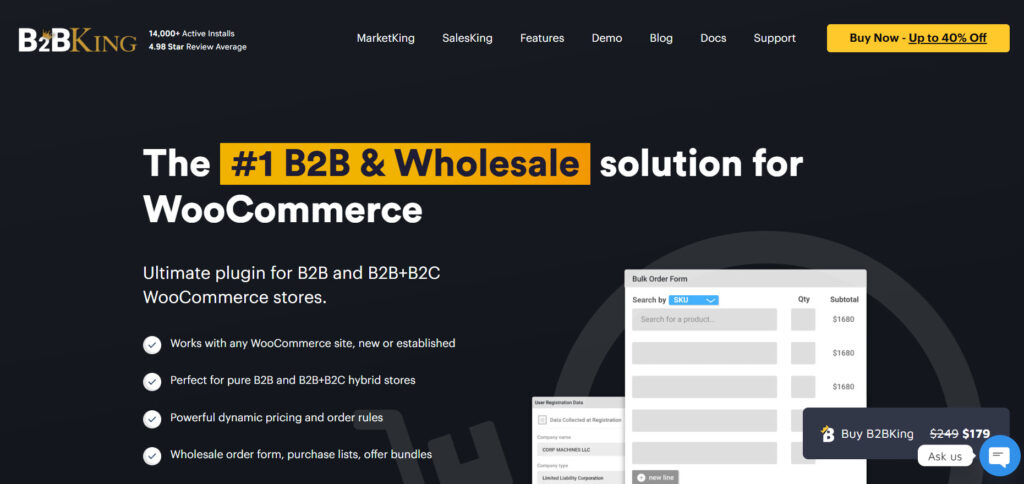
B2BKing is a powerful WooCommerce plugin that lets you create a professional, private B2B store.
It turns your regular WooCommerce website into a complete wholesale platform where you can sell exclusively to business customers.
With B2BKing, you can hide your products and prices from regular visitors, create separate customer groups with custom pricing, manage business account approvals, and offer features such as request-for-quote, tiered pricing, minimum order quantities, and bulk-ordering tools.
It is specifically built for manufacturers, wholesalers, distributors, and suppliers who want better control over their pricing and customer access.
Whether you are just starting wholesale sales or already running a B2B business, B2BKing makes it easy to run a secure and professional private store on WooCommerce.
Step-by-Step Setup of a Private B2B Store with B2BKing
The very first thing you need to do is get the B2BKing plugin. You can purchase the plugin from here. Once you have finished the purchase, install and activate it on our website. You also need the B2BKing Core plugin activated on the site for the wholesale plugin to function properly.
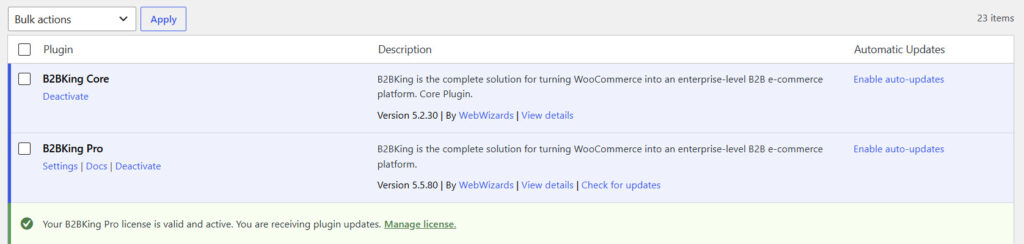
By default, if you check your WooCommerce store, you can see the prices.
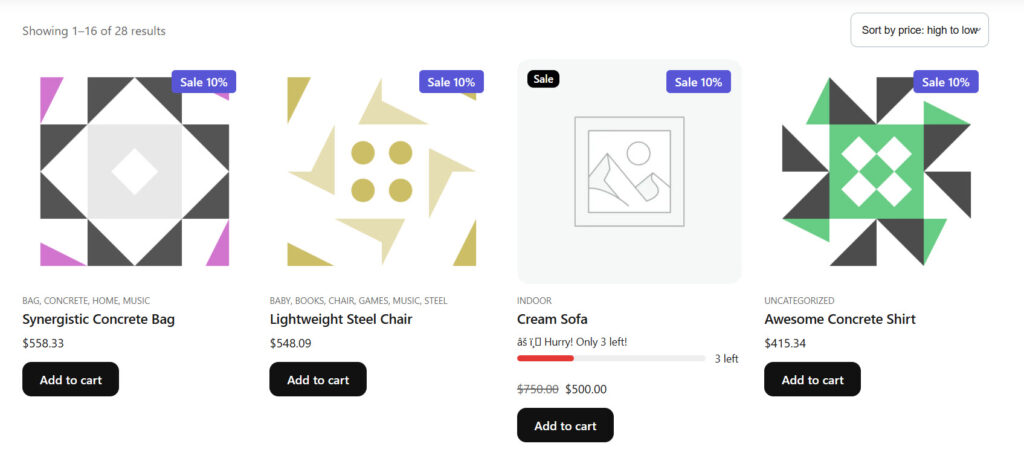
Even if the user is not logged in to the site, they can still see the prices.
That’s not how a private B2B store works.
The prices only displayed to users when they are logged in to the site. When they are browsing the store as a guest, the Add to Cart button should be disabled, and the page should display a notice that they need to log in to view prices.
That is what we will achieve in this tutorial using the B2BKing WordPress plugin. Once you have activated the plugin, you can see its settings on the left-hand side.
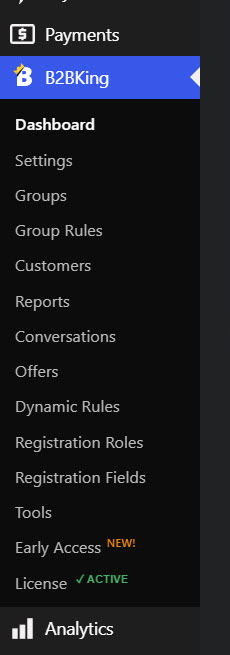
If you are using the pro version plugin, verify your license key first. We are not going to cover deep information on how to set up the B2BKing plugin for regular stores. If you are here for the general setup guide, see our guide on B2BKing plugin configuration.
To make the store private, open the B2BKing settings. Then open the access restriction section.
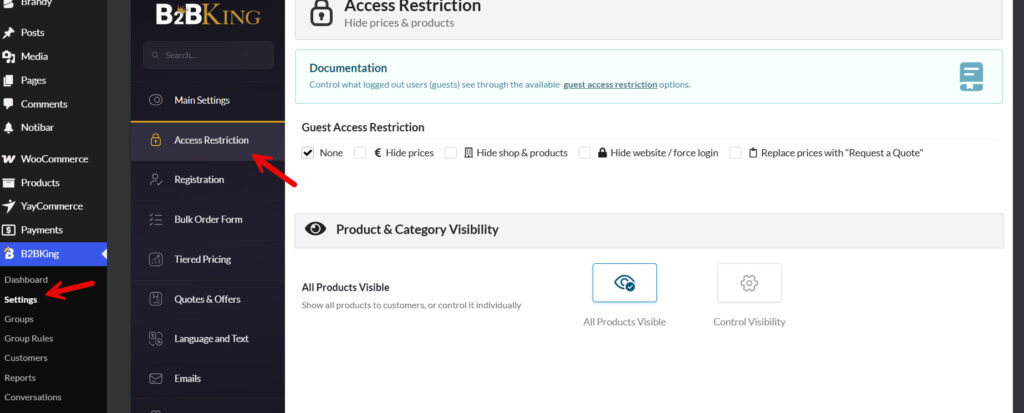
As you can see on the page, there is a guest access restriction. There are options like:
- None
- Hide prices
- Hide shop & products
- Hide website/force login
- Replace prices with request a quote.
By default, you will select the none option. When you are using none, there won’t be any guest restrictions. Let’s turn this into the hide prices option and save the changes.
Once you have saved the changes, check the website from an incognito window.
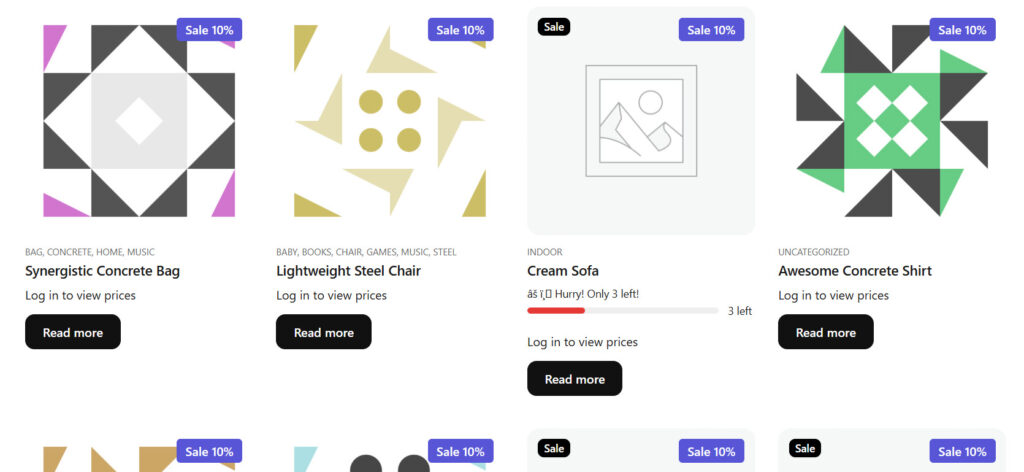
As you can see in the screenshot, the shop page no longer shows prices as it used to. Instead, it will show you a Log in to view prices label.
If you open the single procust page, you can see the add to cart button is also removed.
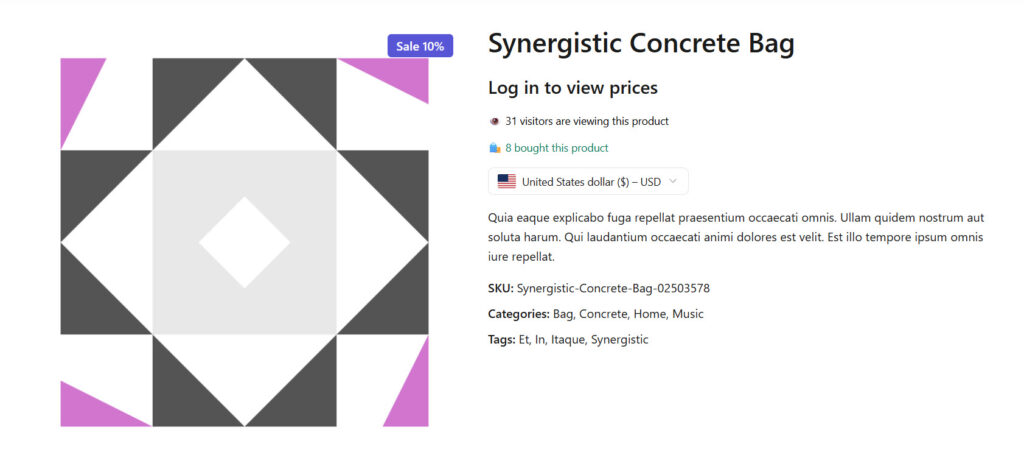
This is already a private store. Now, what if the user needs to request prices as a guest? Go back to the B2BKing content restrictions tab and choose the Replace Prices with Request a Quote option.
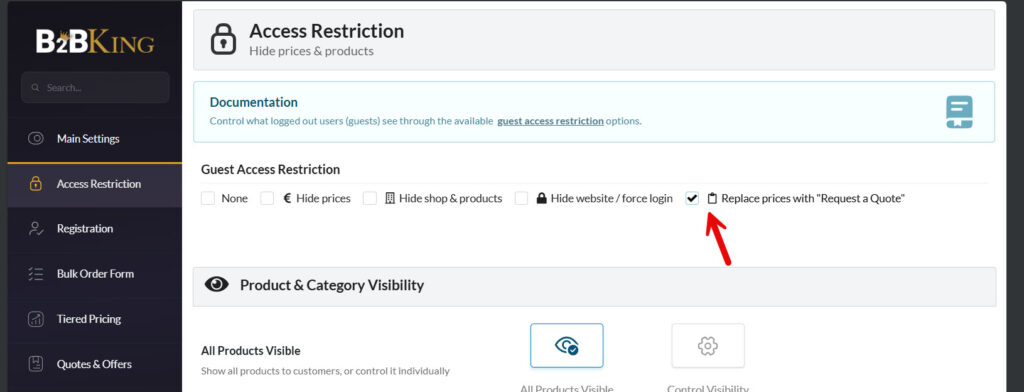
Save the settings, then check your store in an incognito window.
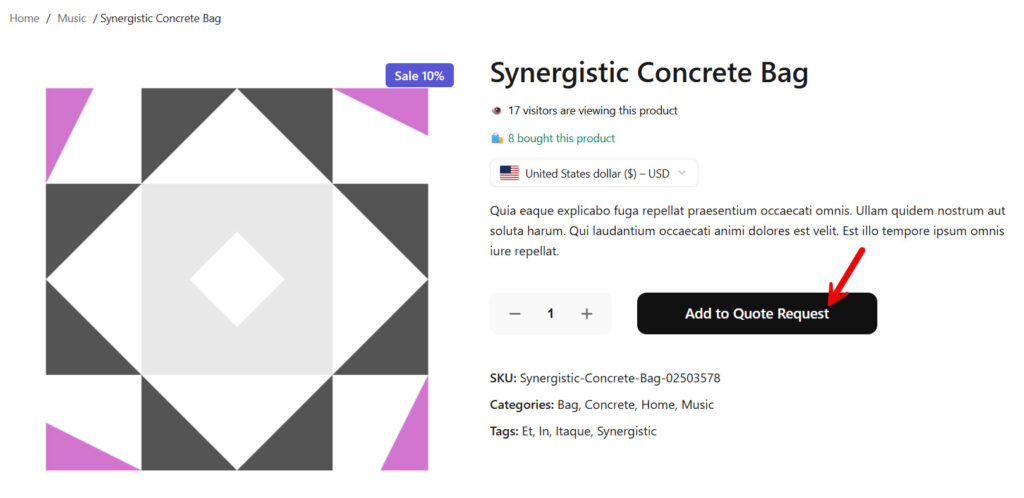
As you can see in the image, the add to cart button is completely replaced. Once the guest has added the products they need, they can request a custom quote.
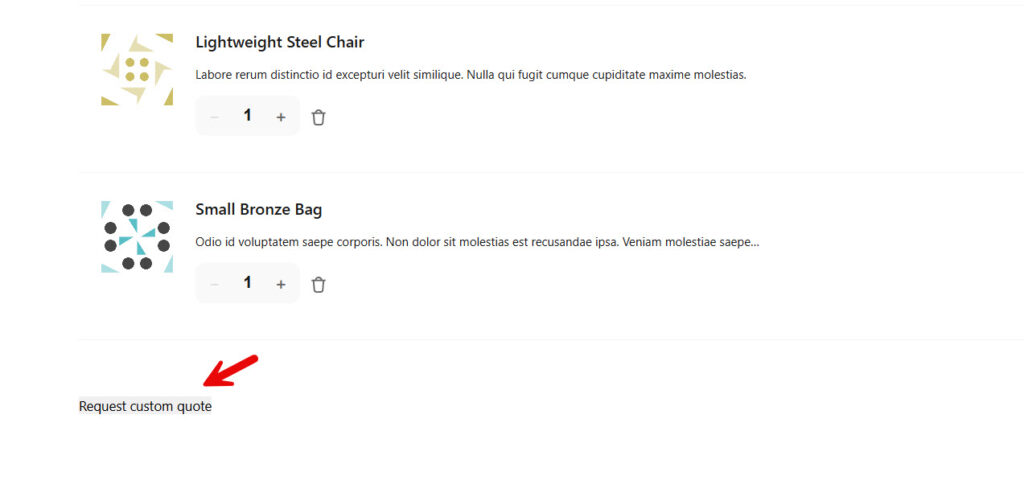
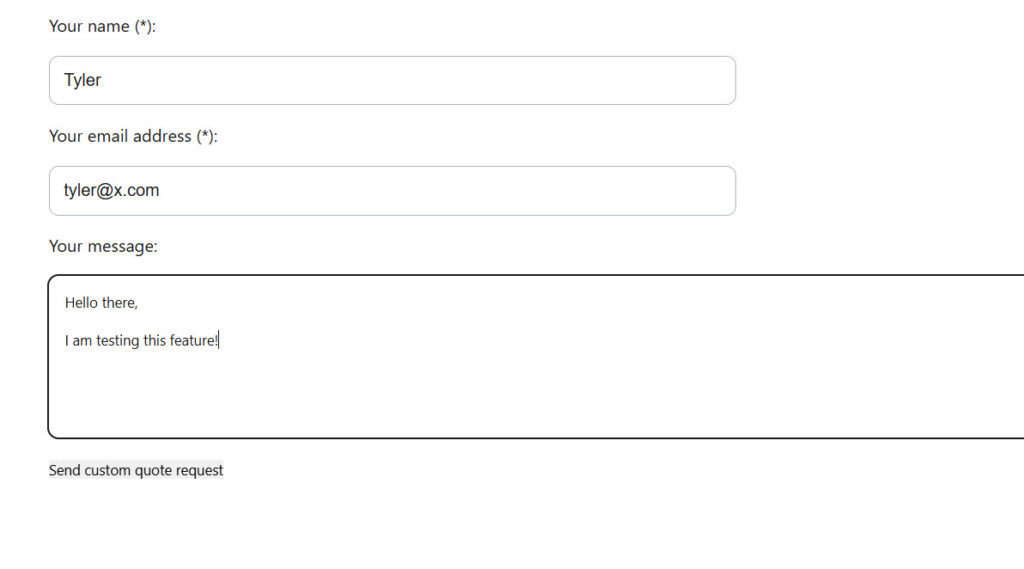
Now a form will be opened. They can fill up the form and send it to the admin.
To view all the quotes, open the conversation settings and you will see them there.
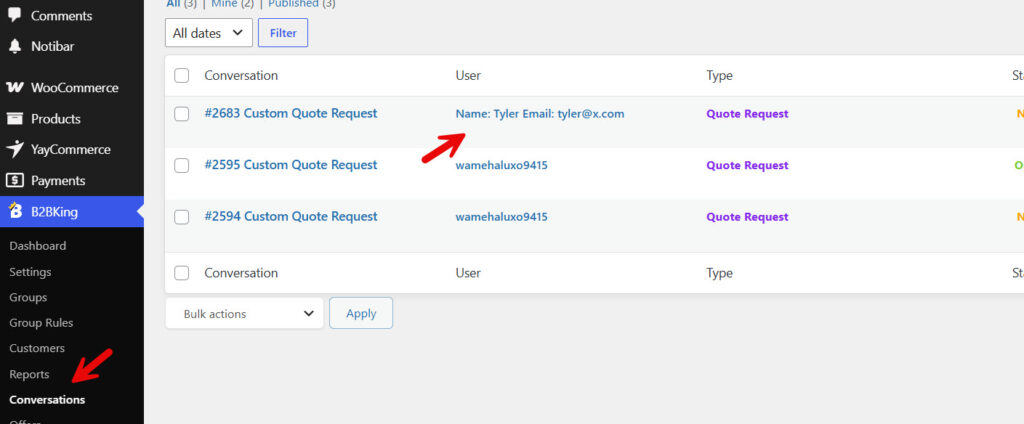
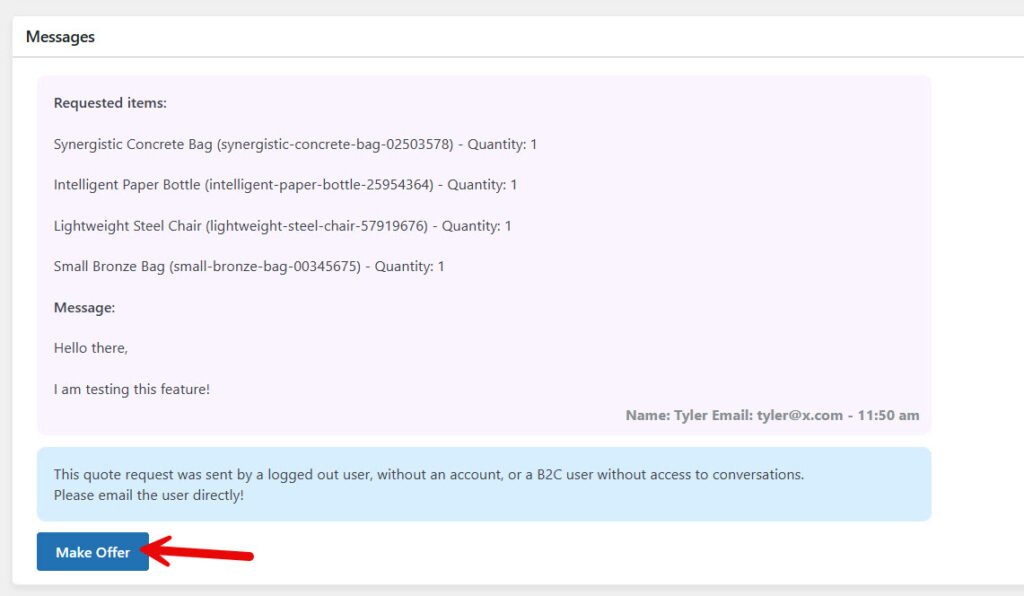
Open it, and you can make an offer.
Now, if you need people who are not logged in to browse your shop archive, enable the hide shop and products option.
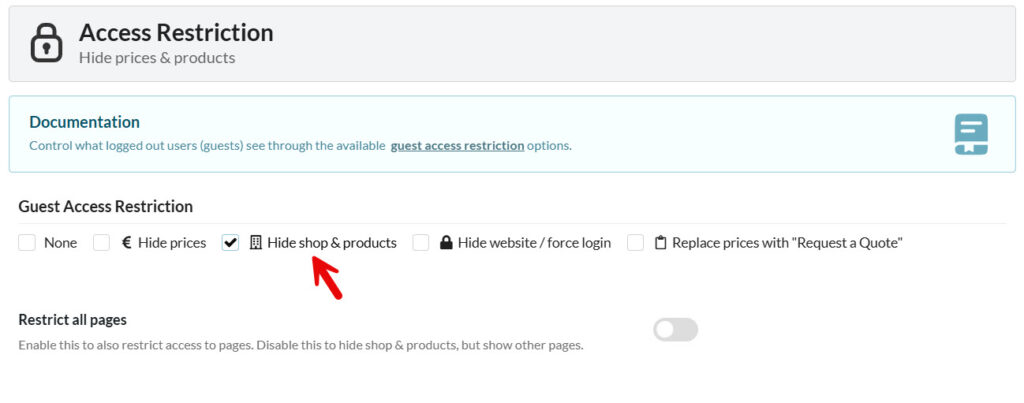
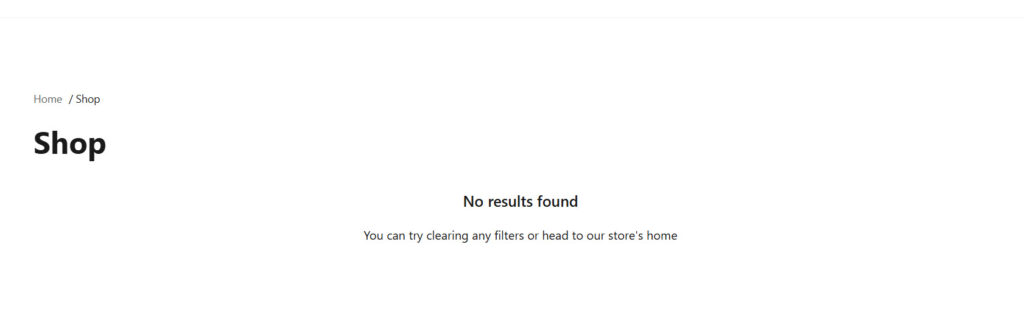
Save the changes, then check your shop archive in an incognito window. Guests will see this page:
Finally, if you choose the hide website/force login option, you can hide the website completely from non-logged-in users. Whenever they try to access it, the plugin will redirect the users to the login page. This way, only the logged in suers can access the products, every pages, and so on.
That’s it!
Here is how to set up a private B2B store with B2BKing. As you can see above, there are multiple options you can choose from. Pick one according to your preferences.
In the next section, we will show you some advanced B2B features you would love to have on your store.
Advanced B2B Features You Should Use
After setting up the basics, you should activate these advanced B2BKing features to maximize your private B2B store’s potential.
- Tiered Pricing Rules: Automatically show different prices based on order quantity or customer groups to encourage bigger purchases.
- Minimum Order Quantity and Amount: Set minimum requirements so customers must meet a certain value or quantity before checkout.
- Request for Quote System: Let business buyers send custom quote requests for products or bulk orders directly from the site.
- Dynamic Discount Rules: Create automatic discounts based on cart value, specific products, or customer segments.
- Bulk Order Tools: Enable quantity tables and quick bulk add-to-cart functionality to speed up ordering.
- Custom Registration Fields: Collect important business details like VAT number, company name, and industry during signup.
Using these features will help you run a more professional, efficient, and profitable B2B store.
Best Practices for Running a Successful B2B Store
Setting up a private B2B store is only the first step. To get the best results and grow your wholesale business, follow these proven best practices:
- Maintain Clear and Transparent Pricing: Always keep your wholesale pricing consistent and easy to understand. Use tiered pricing based on quantity or customer groups to encourage larger orders.
- Provide Excellent Customer Support: Respond promptly to quote requests and inquiries. Business buyers value fast and professional communication.
- Simplify the Buying Process: Make ordering as easy as possible with bulk order tools, saved carts, and fast checkout options.
- Keep Product Information Updated: Regularly update stock levels, prices, images, and descriptions. Outdated information leads to frustration and lost sales.
- Segment Your Customers Effectively: Create separate customer groups for different buyer types (distributors, retailers, resellers) and assign appropriate pricing and visibility rules.
- Automate Repetitive Tasks: Use automation to handle account approvals, email notifications, abandoned-quote reminders, and order confirmations.
- Build Long-Term Relationships: Offer special discounts, priority support, or dedicated pricing for loyal B2B customers to increase retention.
Following these best practices will help you run a smooth, professional, and profitable private B2B store with B2BKing.
Common Mistakes to Avoid
Setting up a private B2B store is straightforward with B2BKing, but many beginners make these mistakes that create problems later:
- Overcomplicating the Registration Form: Asking for too much information during signup leads to high drop-off rates. Keep the form simple and only collect essential business details.
- Incorrect Customer Group Setup: Failing to properly assign pricing rules and visibility settings can result in regular customers seeing wholesale prices or B2B customers seeing retail prices.
- Making the Store Too Hidden: Completely hiding your catalog from new visitors can discourage potential buyers. Consider showing product categories publicly while keeping actual prices hidden until approval.
- Ignoring Mobile Users: Many B2B buyers browse and place orders on their phones. Always test your B2B portal on mobile devices.
- Setting Unrealistic Minimum Order Requirements: Setting minimum order amounts too high in the beginning can scare away new wholesale customers. Start reasonable and adjust later.
Avoiding these mistakes will help you build a smoother, more professional, and profitable private B2B store.
B2BKing Pricing – Is It Worth It?
B2BKing comes with two pricing options.
- Annual Subscription
- Lifetime Subscription
Let’s see how much each subscription will cost you.
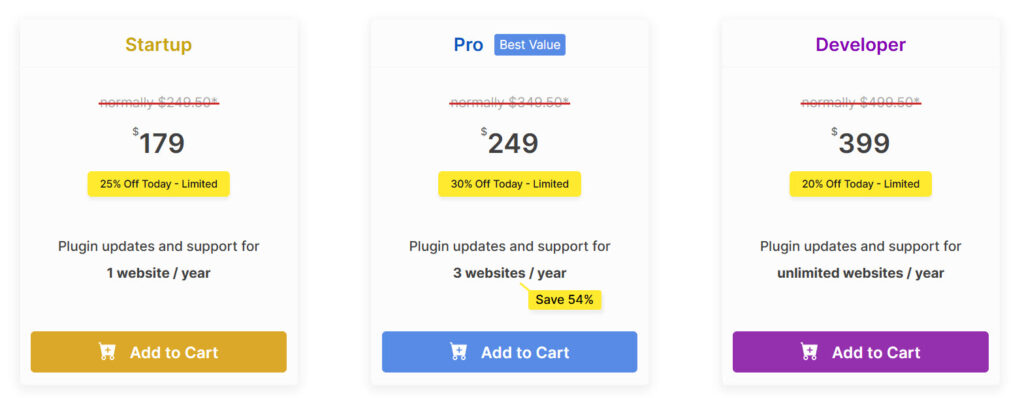
- Annual Subscription
- Startup – $179 a year
- Pro – $249 a year
- Developer – $399 a year
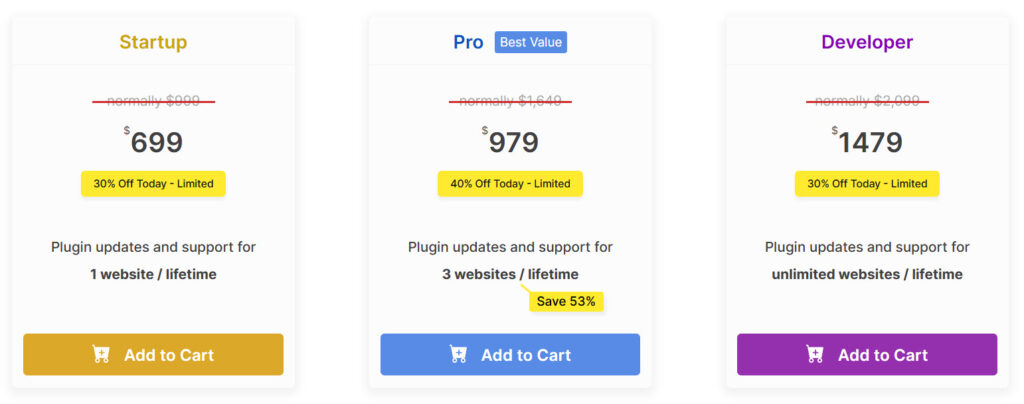
- Lifetime Subscription
- Startup – $699 (one-time fee)
- Pro – $979 (one-time fee)
- Developer – $1479 (one-time fee)
Depending on your preferences, you can choose an option. All the plans come with a 14-day money-back guarantee. So if you think the plugin isn’t a good fit for your wholesale store (which is unlikely), you can get a full refund from the team.
Based on our experience with B2BKing, you’ll love this plugin.
Here are some other popular posts you should check:
- 7 Best WordPress Media Library Plugins (2026)
- 10 Signs Your WordPress Media Library Needs a Folder System
- 7 GeneratePress Alternatives: Find the Best WordPress Theme
- How to Set Up a Private B2B Store with B2BKing (Beginner’s Guide)
- How Can You Use Conditional Logic to Create Smarter WooCommerce Product Options?
Frequently Asked Questions
Now, let’s take a look at some frequently asked questions and answers on this topic.
What is B2BKing?
B2BKing is a powerful WooCommerce plugin that helps you turn your store into a professional private B2B platform. It allows you to create customer groups, hide products from guests, set wholesale pricing, and manage business approvals.
Do I need coding knowledge to set up a B2B store with B2BKing?
No. B2BKing is beginner-friendly. The plugin provides a simple setup wizard and clear settings. Most users can have a basic private B2B store running within a few hours.
Can I hide my products from regular customers?
Yes. B2BKing lets you create a completely private catalog. You can hide products, categories, or the entire shop from guests and only show them to approved B2B customers.
Does B2BKing support tiered pricing?
Yes. You can set different pricing levels based on customer groups, order quantity, or user roles. This is very useful for wholesale businesses.
How does the customer approval process work?
When a new business registers, you can review their application in the admin dashboard and manually approve or reject them. Approved customers then gain access to your private B2B catalog and pricing.
Is B2BKing good for small wholesalers?
Yes. It works well for both small and large B2B operations. You can start with basic features and scale up as your business grows.
Can I accept quotes and requests for custom pricing?
Yes. B2BKing includes a built-in Request a Quote system that allows customers to send quote requests directly from product or cart pages.
Does it work with other WooCommerce plugins?
B2BKing is compatible with most popular WooCommerce plugins including payment gateways, shipping plugins, and email marketing tools.
Is the B2BKing plugin mobile friendly?
Yes. The B2B portal and all customer-facing pages are fully responsive and work smoothly on mobile devices.
How much does B2BKing cost?
B2BKing has a free version with core features. The Pro version, which unlocks advanced B2B tools, starts at a very reasonable $179 per year and offers excellent value for growing wholesale businesses.
Video Tutorial
Conclusion
Setting up a private B2B store on WooCommerce is one of the smartest moves you can make as a wholesaler or manufacturer.
It gives you full control over pricing, improves customer experience, and helps you grow your business professionally.
B2BKing makes this process much simpler and more powerful. With its customer approval system, dynamic pricing, private catalog, and easy management tools, it is an excellent choice for both beginners and experienced store owners.
Follow the steps in this guide carefully, test your setup thoroughly, and launch your private B2B store with confidence. A well-built B2B platform can significantly increase your average order value and build stronger business relationships.
Ready to go B2B?
Give B2BKing a try and take your wholesale business to the next level.


